
Quick answer
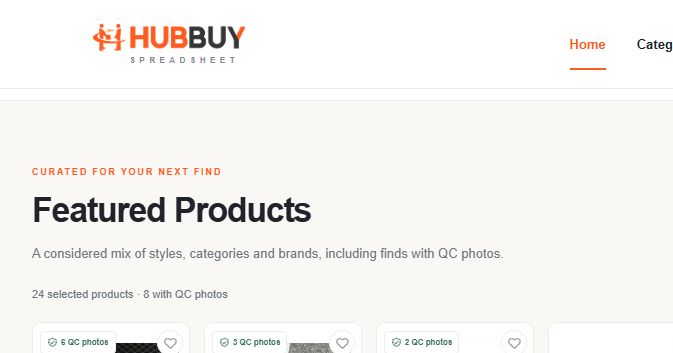
Start with the featured products or a category. Open a product with “View find”, check the selected variant and available evidence, then confirm the current price and buying options on the full listing. The homepage search opens external results in a new tab.
Choose the right starting point
For broad browsing, go to the featured products. For a specific model or style, enter a name in the homepage search and submit it. Results open in a new tab, so the directory remains available for comparison. Category cards also open the corresponding external catalogue.
Use a precise phrase such as a product type plus colour or model. If a search returns a similarly named item, compare the photographs and variant information before treating it as the same product. The directory is a starting point for discovery; it does not contain a checkout.
- Browse the featured collection, choose a category, or submit a homepage search.
- Check the card title, reference price and QC badge before opening it.
- Use “View find” to inspect the full product record in a new tab.
- Review the selected size, colour, live price and available buying options.
Read the product card correctly
The heart saves a product on this browser. It does not reserve stock or submit an order. Revisit your saved finds when comparing options; a saved reference still needs a fresh price and variant check.
| Card detail | What it tells you | What to check next |
|---|---|---|
| Product title | The recorded product reference | Match the model and chosen variant on the full listing. |
| QC badge | The reported number of available photos | Check what the photos show and whether they match your order. |
| USD reference price | A product-price estimate | Confirm live currency, quantity, options and added costs. |
| Heart | A browser-local saved item | Open Saved finds; saving is separate from buying. |
Compare two products on the same basis
Compare selected versions, not just the lowest displayed number. A lower starting price can apply to a different size, accessory or version. Keep quantity, variant, measurement evidence and included packaging consistent. If one record lacks an essential detail, mark it as unconfirmed and investigate it before choosing.
For example, two black hoodies may use the same size letter but have different chest widths. If fit is your deciding factor, request comparable measurements rather than selecting the cheaper card. The size guide explains how to make that comparison.
A useful two-item shortlist
Record Product A and Product B with the same fields: selected size, colour, actual measurement, live product price and available photos. Add a question beside any blank field. Choose only after the fields that matter to you are comparable.
Buyer Shares · 8 kg outfit haul — No Faith Studios denim, knits & everyday accessories
Use QC evidence for the specific question
A badge with several photos does not establish that every detail has been inspected, or that the item is authentic or will fit. Open the available images and ask what they actually establish: the colour, label, stitching, accessory or measurement you need to see.
A product-reference gallery may represent another order or variant. Before international shipping, compare the evidence for your own received goods. Use the QC photo and inspection guide to decide which views to request and understand what routine warehouse checks can establish.
Confirm the next step and the complete budget
The full product page provides the current record and available buying options. If continuing to an agent, confirm the same item and selected variant on that destination before paying. Keep product cost, domestic delivery, packaging and international freight separate. The shipping-cost guide shows a worked budget.
After purchasing, your order and warehouse evidence become the basis for decisions about inspection, returns and shipping. Keep the original product link as a reference, but do not substitute its older snapshot for an actual order record.
Can I buy directly from this directory?
No. Open the full listing and continue through its available buying flow. Saving a product or submitting a search does not place an order.
Does a QC badge guarantee product quality?
No. It reports photo availability. Read the images for the exact variant and review your own order’s evidence before shipping.
Explore your next find.
Compare selected products, review available QC photos and open the full listing for current details.
Explore products